

Air quality is usually measured by the Air Quality Index (AQI), which rates pollution levels on a scale from 0 to 500. The lower the number, the cleaner the air. Here’s the breakdown:
- 0–50 (Good): Air quality is considered satisfactory. Minimal risk for anyone.
- 51–100 (Moderate): Acceptable for most people, though unusually sensitive individuals (like those with asthma) may notice mild effects.
- 101–150 (Unhealthy for Sensitive Groups): People with heart or lung conditions, older adults, and children may experience health effects.
- 151–200 (Unhealthy): Everyone may begin to feel health effects; sensitive groups more so.
- 201–300 (Very Unhealthy): Health alert. Serious risk of respiratory effects.
- 301–500 (Hazardous): Emergency conditions. The entire population is likely affected.
WHERE TO FIND AQI ON YOUR PHONE
📱 On iPhone (iOS)
Weather App
Open the Weather app.
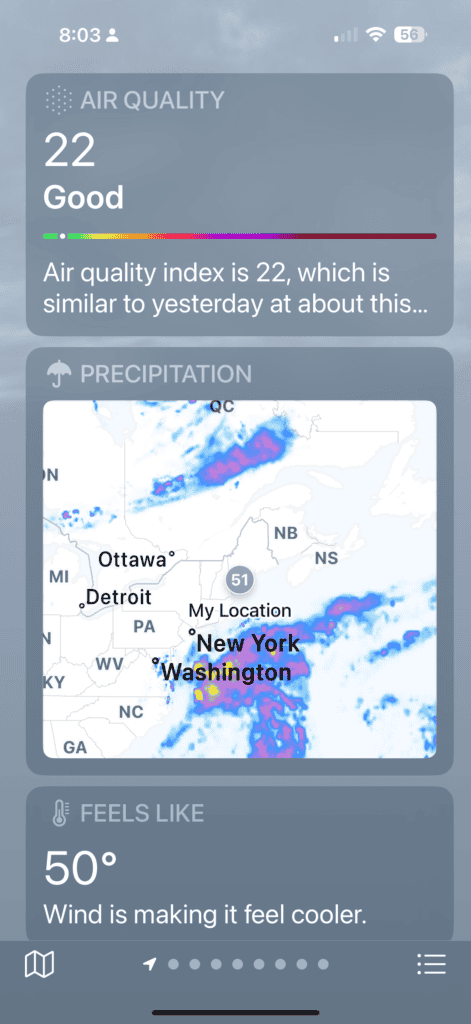
Scroll down below the hourly forecast → you’ll see Air Quality Index with a number and color bar.
If it doesn’t show:
- Go to Settings > Privacy & Security > Location Services > Weather → set to While Using the App or Widgets.
- Check Settings > Weather > Air Quality Index is toggled on.
Fitness / Health App (after outdoor activity)
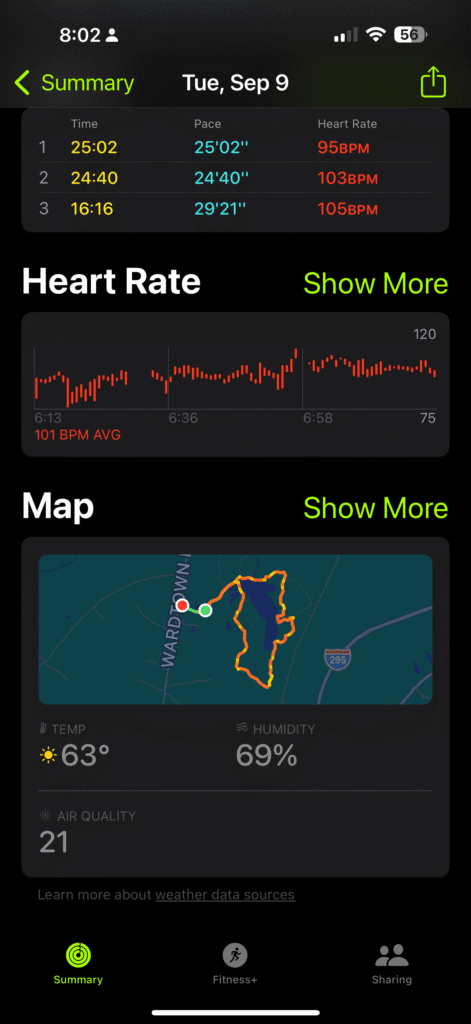
- When you complete an outdoor walk, hike, run, or cycle with your Apple Watch or iPhone, the Fitness app logs environment details.
- Scroll down the workout summary → you’ll often see Air Quality (with AQI rating) alongside weather at the time of your workout.
- Data is tied to the workout’s time and location for context.
-
- Home Screen Widgets
-
- Add a Weather widget → AQI can display at a glance.
-
- Home Screen Widgets
Apple Maps
- Search a location.
- Scroll down the info card → AQI and weather details may appear.
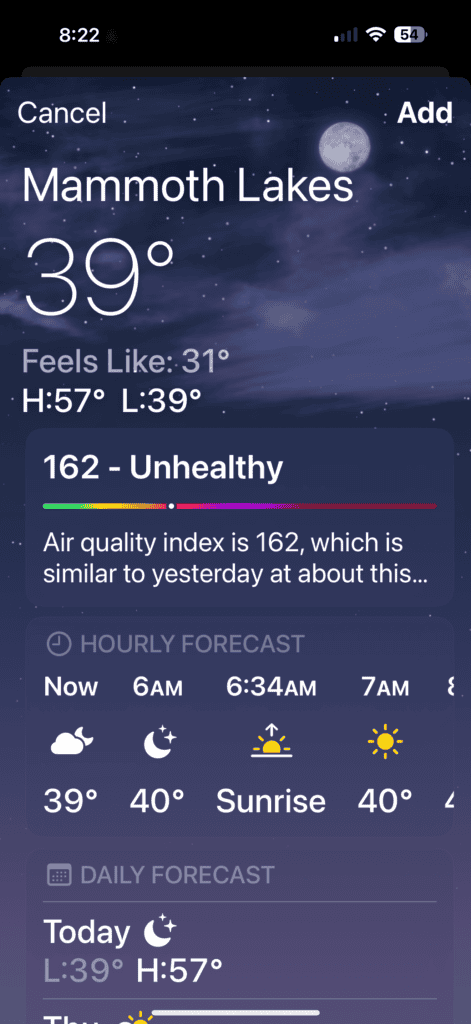
The three screenshots below show AQI on the iPhone fitness and weather apps. When the AQI is in an unhealthy range like in Mammoth Lakes (screenshot on the far right) Apple pushes the AQI to the top of the weather app.
If AQI is in a healthy range, you have to scroll to the bottom of the weather app to see AQI. Apple simplifies it, if AQI is high, it’s right underneath the temperature.
🤖 On Android
-
- Google Weather
-
- Open the Google app or tap the weather icon from your home screen/clock widget.
-
- Scroll down for Air Quality Index (number + health category).
-
- Google Weather
-
- Google Maps
-
- Open Google Maps → tap the Layers button (top right).
-
- Select Air Quality → AQI overlay appears on the map.
-
- Google Maps
-
- Health & Fitness Apps
-
- Google Fit: After outdoor walks, runs, or bike rides, some versions show Weather & AQI data logged with your workout summary.
-
- Samsung Health (on Galaxy devices): Outdoor activities often include weather and AQI conditions when synced with Samsung Weather.
-
- Accuracy may depend on your region and whether AQI reporting is enabled in system settings.
-
- Health & Fitness Apps
-
- Android Widgets / Third-Party Apps
- Android Widgets / Third-Party Apps
-
-
- Many phones offer Weather widgets that show AQI.
-
-
- Apps like IQAir AirVisual, Plume Labs, or EPA AirNow provide live AQI widgets and more detailed reports.